

monday.com Expert for Businesses That Want Workspaces That Work Together
We are a certified monday.com expert team that builds custom boards, automated workflows, and CRM systems for coaches, contractors, clinics, agencies and professional service businesses across the USA, UK, Australia and beyond. You keep running the business. We build the monday.com systems that track your projects and client data so your team stops updating spreadsheets by hand.
Explore PricingWhat is monday.com?
monday.com is a flexible work operating system and no-code platform that centralizes your projects, client data, and team operations so everything stays organized in one place.
You build custom Workspaces and Boards; tailored structures that start with your items and columns and run automated workflows and updates seamlessly.
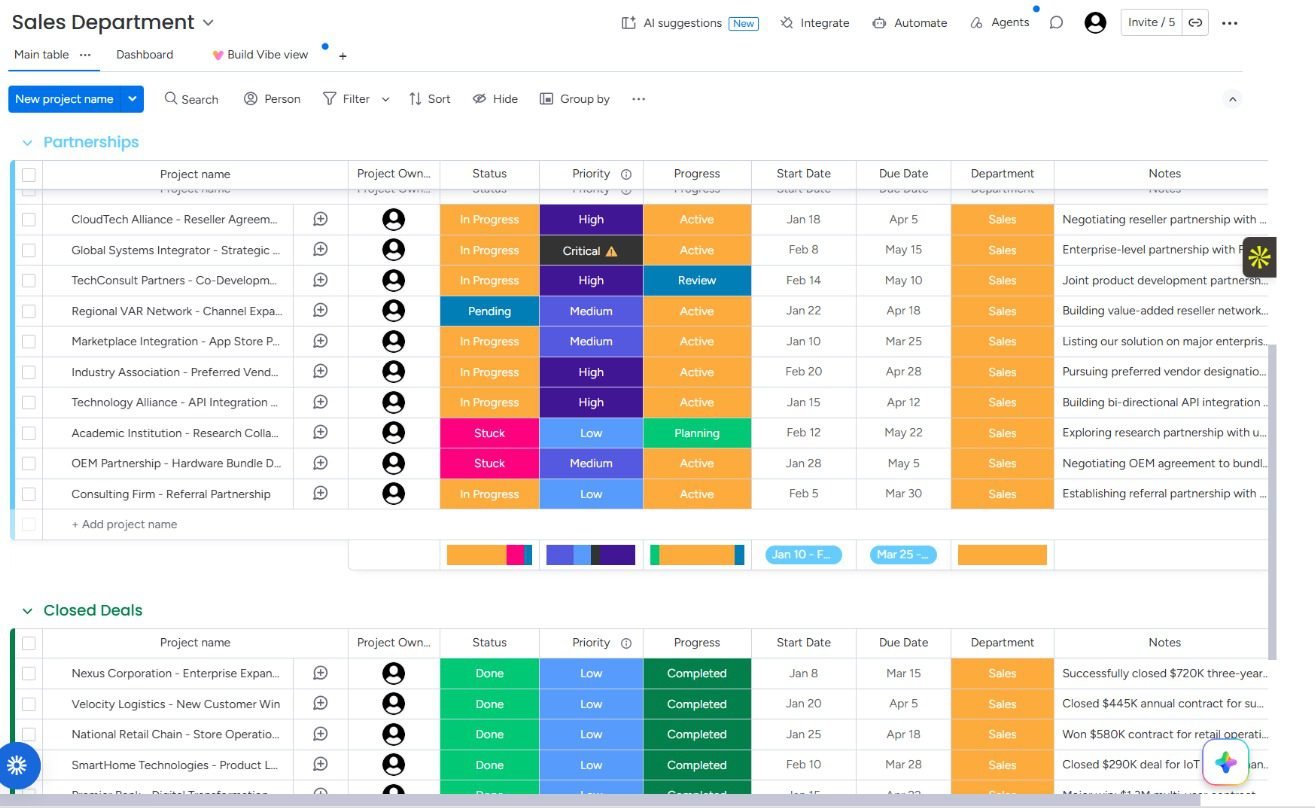
As a monday.com Expert we design these workspaces so your tools and team collaborate efficiently, cutting down manual status updates and administrative chaos.
Connect monday.com to the tools your business already uses
As a certified monday.com expert we build custom boards, automated workflows and item connections that link your CRM, forms, communication tools and software stack so your projects update automatically.
Board & Automation Types
We build monday.com workflows and setups customized specifically for your team
Custom Board Architecture
Design tailored groups, columns, and item structures that accurately mirror your internal operations, client pipelines, and tracking milestones.
Cross-Platform Integrations
Sync leads, client data, and status changes seamlessly between monday.com and external communication or payment platforms.
Automated Status Triggers
Set up multi-step board automations, notifications, and date shifts so your team never misses a handoff or deadline.
See how a certified monday.com expert solves real business problems
Short examples from the systems we build. Same approach works for coaches, contractors, clinics, agencies and most service businesses.
The problem most businesses face
Most teams run on scattered tracking tools; spreadsheets, separate task lists, messaging apps, and client databases that don't talk to each other. Each tool works fine alone, but status updates still have to be moved by hand. Someone is copying details across two dashboards, checking timelines in multiple places, or manually notifying team members after a milestone changes. A certified monday.com expert starts by mapping exactly where that administrative friction lives and which board steps are still manual.
How we solve it inside monday.com
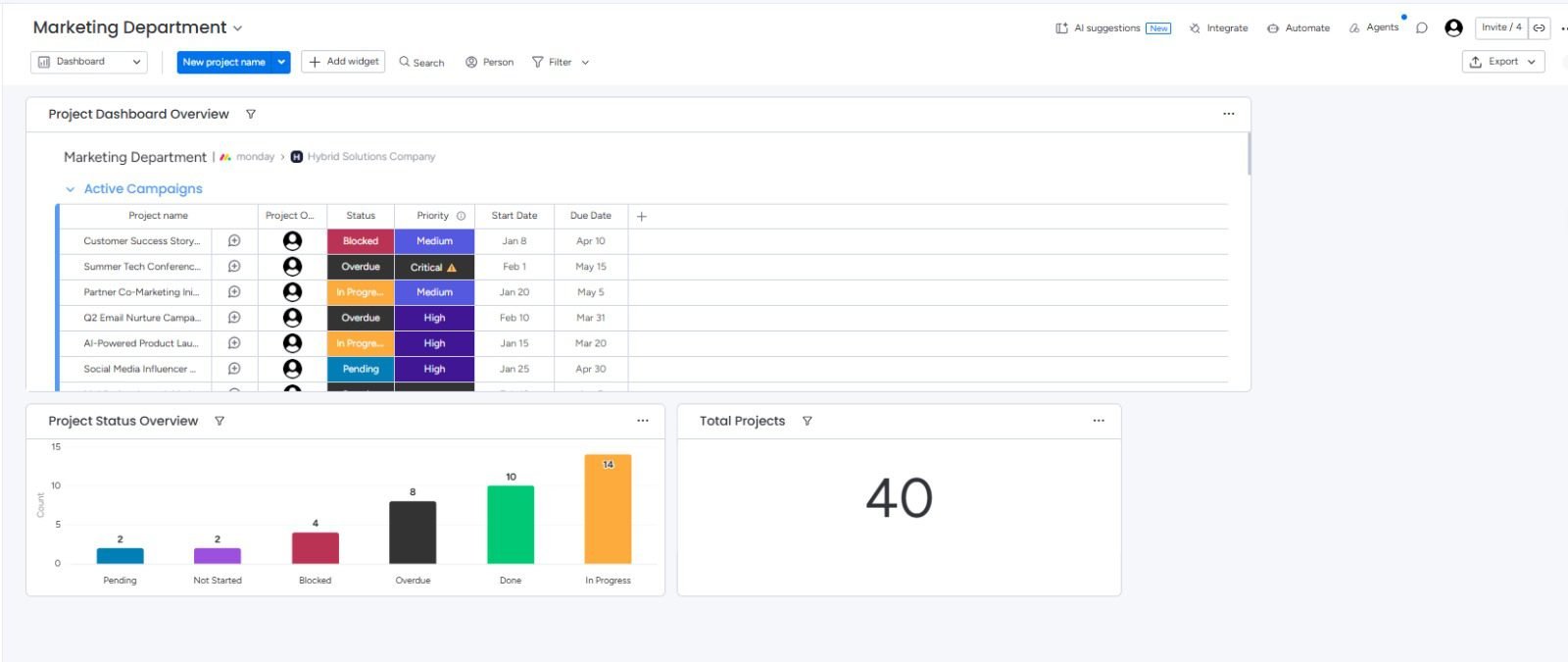
monday.com connects with hundreds of core business tools and external systems. When an integration needs custom routing or specialized webhooks, we bridge them seamlessly so nothing is left out of your ecosystem. We design multi-step board automations, custom status triggers, and connected views so the right data moves at the right time. As your monday.com expert we build around the way your team already operates, not around a generic template.
Why businesses trust a monday.com expert
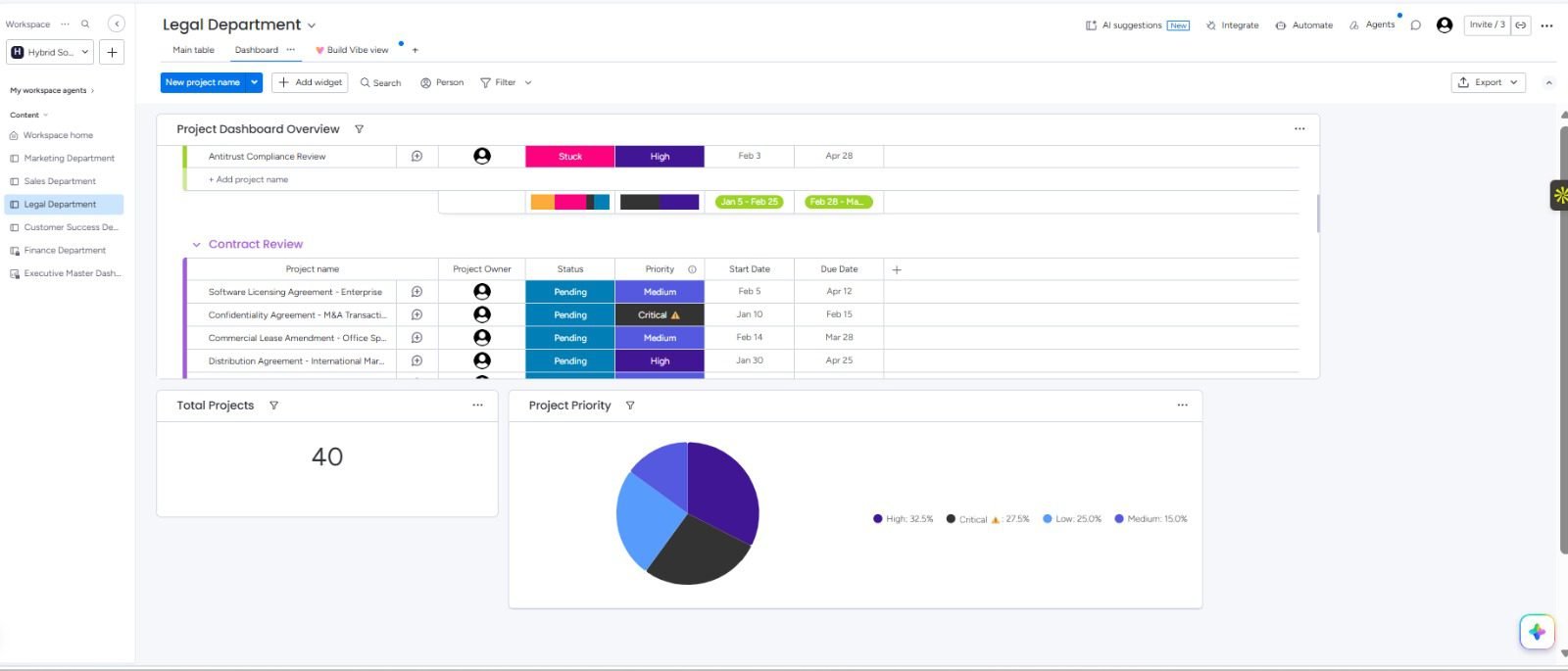
You get workspaces that are tested, structured cleanly, and handed over with clear documentation. You see real board builds, not slides. You keep direct access to the people who designed the workflow logic. And you get support after launch so your workspaces continue to evolve smoothly as your team and operations grow. That is the difference between a basic board setup and a central system your company can actually rely on.
What a certified monday.com expert sets up for your business
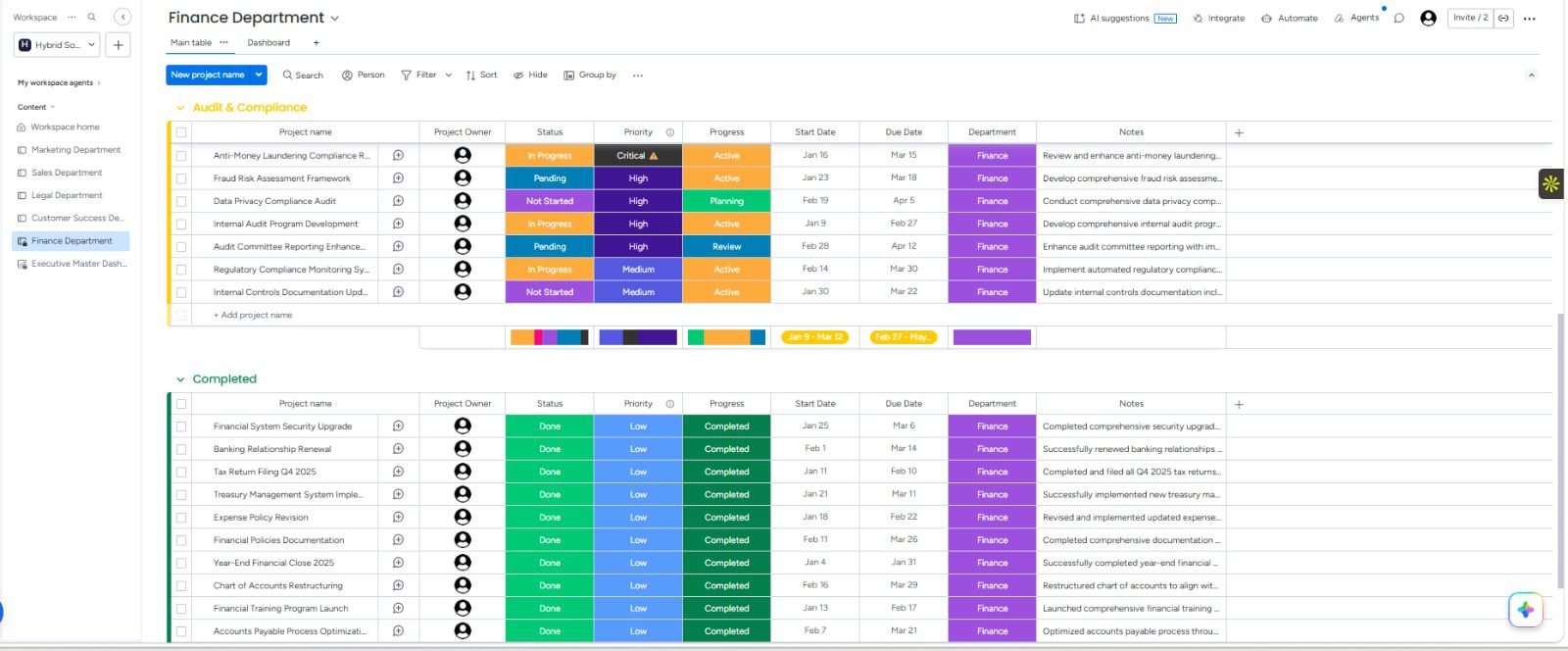
monday.com is much more than a simple project board. As a certified monday.com expert we build customized workspaces, boards, status automations and data architecture that coaches, contractors, clinics, agencies and service businesses use every day across the USA, UK, Australia and worldwide so projects stay organized without anyone updating spreadsheets by hand.
See real builds on our portfolio. You can also explore related work with Make.com and GoHighLevel.
Book ConsultationSelect a starting point for your monday.com project
Drag to the range that feels right. A certified monday.com expert will use it as a conversation starter, not a final quote.
Opens your email with the selected amount and a short template so you can tell us about the project.
How we work with you as a certified monday.com expert
A clear process so you always know what happens next. No guesswork, no long gaps, no messy boards only we understand.
Discovery
We learn how your team operates today, which tools and spreadsheets you already use, and where communication or task tracking falls through the cracks.
Map the boards
We outline the workspaces, custom columns, status automations and cross-board connections needed so your pipelines mirror how your team actually works.
Build inside monday.com
Your certified expert builds the custom boards, recipes, dashboards and external integrations to bring all your operations into one unified view.
Test every workflow
We run items through each status change and automation trigger with real data to make sure handoffs and notifications behave perfectly before launch.
Handover
You get clear documentation and a short team walkthrough so everyone knows how to update boards and track tasks without needing constant help.
Support after launch
We stay available to answer questions, adjust automations, or scale up your workspace as your business grows.
Frequently asked questions about monday.com
Clear answers on what monday.com is, who it is for, and why businesses use it
What is monday.com?
monday.com is a flexible work operating system (Work OS) that allows teams to build custom workflows, manage projects, track tasks, and automate operations in one centralized visual space.
Who should use monday.com?
It is ideal for coaches, contractors, clinics, agencies, property management teams, and service businesses that need to replace scattered spreadsheets with structured, collaborative boards.
Why is monday.com useful for service businesses?
Service businesses often struggle with tracking client pipelines, team workloads, and project handoffs across different silos. A certified expert sets up unified boards and automated status triggers so everyone knows exactly what needs to be done next.
What can you automate within monday.com?
You can automate status changes, deadline notifications, item movements across boards, date shifts, and complex cross-board dependencies. Integrations with external tools can also be hooked up via Webhooks or native automation recipes.
What is a board recipe in monday.com?
A board recipe is an automated workflow rule structured as an "If this, then that" statement—for example: when status changes to "Done", move item to the completed group and notify the project lead.
Is monday.com better than using spreadsheets?
Unlike static spreadsheets, monday.com offers real-time collaboration, dynamic status tracking, automated notifications, visual dashboards, and custom permissions that prevent manual errors and keep teams aligned.
Can monday.com connect to Zapier and Make.com?
How does a certified expert help with implementation?
A certified expert analyzes your internal processes, designs a clean workspace architecture, builds custom boards and automations, and provides training so your team can adopt the system smoothly without friction.
Tired of Doing Everything By Hand?
Let's Make Your Business Run Itself
We build automation systems for e-commerce brands, coaches, churches, contractors and trade businesses, medical practices, and real estate teams, and more industries beyond that.
Contact
- hello@hostandflowautomation.com
- +1 (323) 510-4582
- Serving clients across the US, UK, Australia, Europe & Worldwide
© 2026 Host & Flow Ltd. All Rights Reserved by Host & Flow Automation.
